NO USAR ESTE REPOSITORIO DIRECTAMENTE
Este repositorio es un "fork" de https://github.com/nguyendachuy/laravel-menu para adaptarlo a Laravel 9. No es un fork como tal, pero voy a mantener en la rama main todos los cambios del paquete original e iré añadiendo
las modificaciones en la rama bpanel.
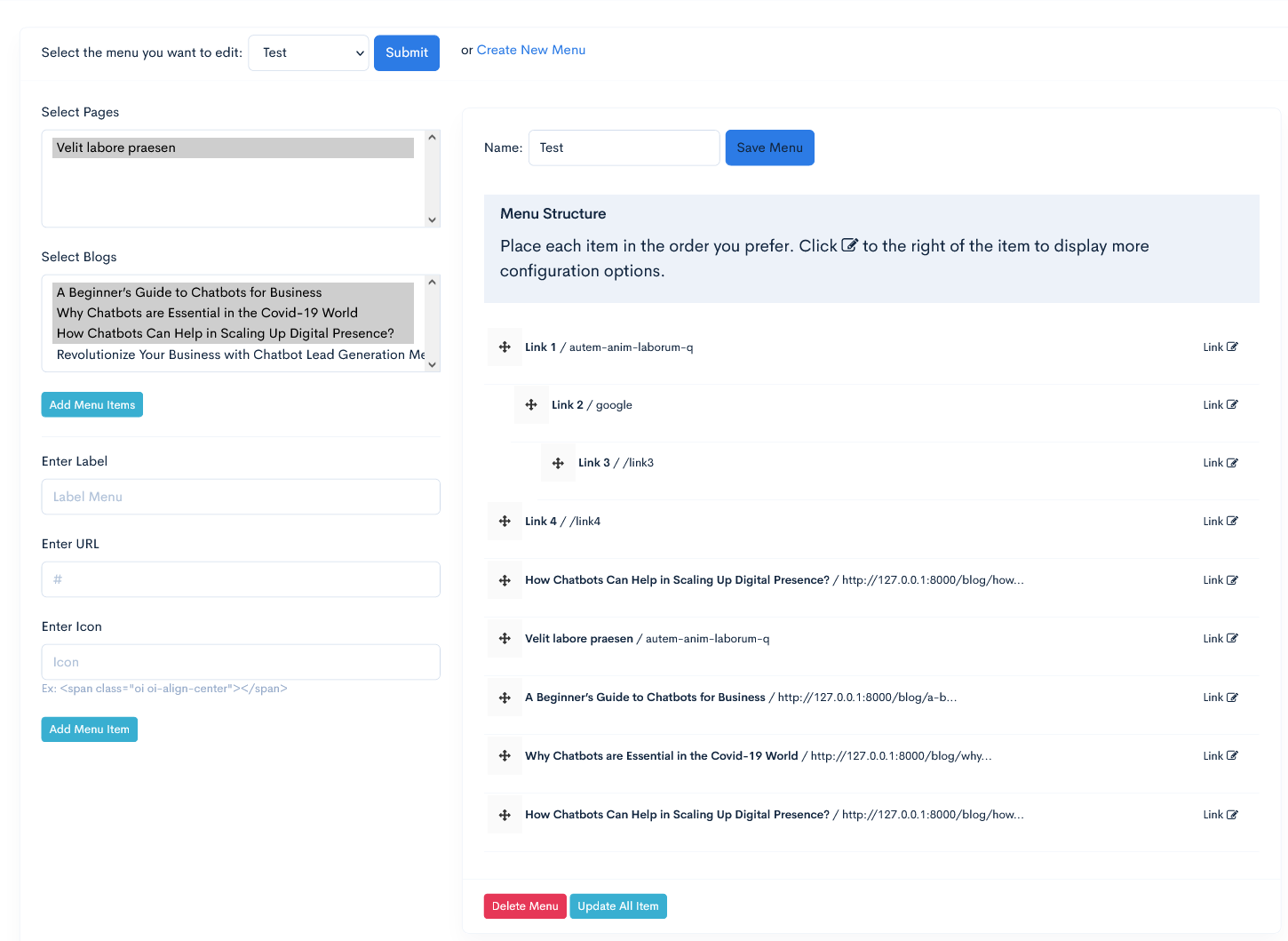
Laravel Drag and Drop menu
Installation
- Run
composer require nguyendachuy/laravel-menu
Step 2 & 3 are optional if you are using laravel 5.5
- Add the following class, to "providers" array in the file config/app.php (optional on laravel 5.5)
NguyenHuy\Menu\Providers\MenuServiceProvider::class,
- add facade in the file config/app.php (optional on laravel 5.5)
'Menu' => NguyenHuy\Menu\Facades\Menu::class,
- Run publish
php artisan vendor:publish --provider="NguyenHuy\Menu\Providers\MenuServiceProvider"
-
Configure (optional) in config/menu.php :
-
CUSTOM MIDDLEWARE: You can add you own middleware
- TABLE PREFIX: By default this package will create 2 new tables named "menus" and "menu_items" but you can still add your own table prefix avoiding conflict with existing table
- TABLE NAMES If you want use specific name of tables you have to modify that and the migrations
- Custom routes If you want to edit the route path you can edit the field
-
Role Access If you want to enable roles (permissions) on menu items
-
Run migrate
php artisan migrate
DONE
Menu Builder Usage Example - displays the builder
On your view blade file
@extends('app')

@section('contents')
    {!! Menu::render() !!}
@endsection

//YOU MUST HAVE JQUERY LOADED BEFORE menu scripts
@push('scripts')
    {!! Menu::scripts() !!}
@endpush
Using The Model
Call the model class
use NguyenHuy\Menu\Models\Menus;
use NguyenHuy\Menu\Models\MenuItems;
Menu Usage Example (a)
A basic two-level menu can be displayed in your blade template
Using Model Class
/* get menu by id*/

$menu = Menus::find(1);
/* or by name */
$menu = Menus::where('name','Test Menu')->first();

/* or get menu by name and the items with EAGER LOADING (RECOMENDED for better performance and less query call)*/
$menu = Menus::where('name','Test Menu')->with('items')->first();
/*or by id */
$menu = Menus::where('id', 1)->with('items')->first();

//you can access by model result
$public_menu = $menu->items;

//or you can convert it to array
$public_menu = $menu->items->toArray();
or Using helper
// Using Helper
$public_menu = Menu::getByName('Public'); //return array
Menu Usage Example (b)
Now inside your blade template file place the menu using this simple example
<div class="nav-wrap">
    <div class="btn-menu">
        <span></span>
    </div><!-- //mobile menu button -->
    <nav id="mainnav" class="mainnav">

        @if($public_menu)
        <ul class="menu">
            @foreach($public_menu as $menu)
            <li class="">
                <a href="{{ $menu['link'] }}" title="">{{ $menu['label'] }}</a>
                @if( $menu['child'] )
                <ul class="sub-menu">
                    @foreach( $menu['child'] as $child )
                        <li class=""><a href="{{ $child['link'] }}" title="">{{ $child['label'] }}</a></li>
                    @endforeach
                </ul><!-- /.sub-menu -->
                @endif
            </li>
            @endforeach
        @endif

        </ul><!-- /.menu -->
    </nav><!-- /#mainnav -->
 </div><!-- /.nav-wrap -->
HELPERS
Get Menu Items By Menu ID
use NguyenHuy\Menu\Facades\Menu;
...
/*
Parameter: Menu ID
Return: Array
*/
$menuList = Menu::get(1);
Get Menu Items By Menu Name
In this example, you must have a menu named Admin
use NguyenHuy\Menu\Facades\Menu;
...
/*
Parameter: Menu ID
Return: Array
*/
$menuList = Menu::getByName('Admin');
Customization
you can edit the menu interface in resources/views/vendor/nguyendachuy-menu/menu-html.blade.php